Your terminals, servers and Windows desktops
in one browser tab.
MuxTerm is a self-hosted web workspace: tmux-backed terminals, SSH, RDP, VNC and SFTP side by side, aware of your Claude Code sessions, and usable from a phone. Open source, MIT.
curl -fsSL https://raw.githubusercontent.com/tecnologicachile/muxterm/main/install.sh | bash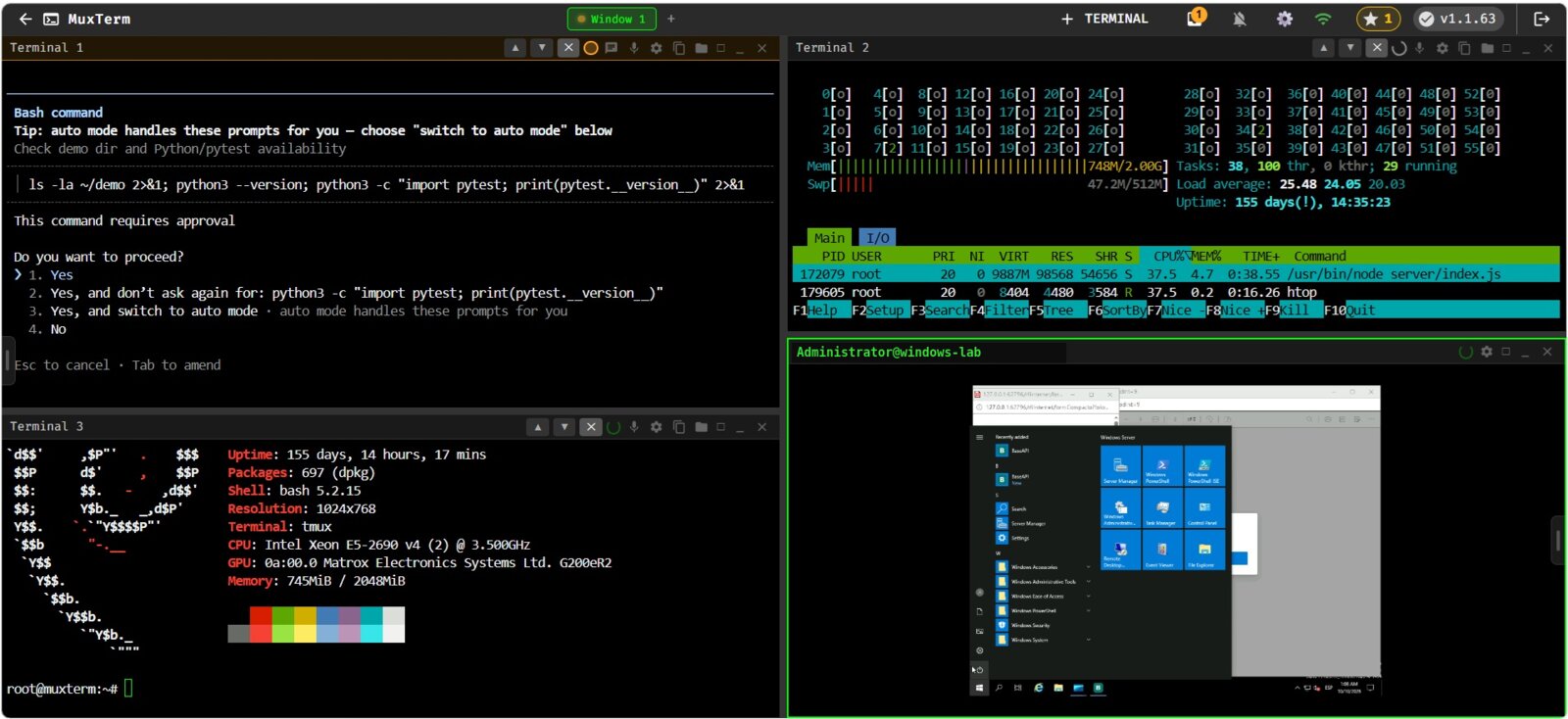
Why we built it
We run a small IT company and spend the day between Linux servers, Windows machines over RDP and several Claude Code sessions working for us. Web terminals give one shell per tab and no remote desktop. Guacamole does RDP well but is heavy and its terminal is an afterthought. tmux over SSH is great on a laptop and painful on a phone. And none of them were responsive. MuxTerm is the tool we wanted.
What you get
Everything runs on your own server. Nothing leaves it.
Terminals that survive anything
Each panel is a tmux window served by ttyd. Close the laptop, open the phone, pick up where you left off. Server restarts and updates keep your sessions.
SSH, RDP, VNC, SFTP
SSH with password or key. Windows desktops through guacd with a touch trackpad and a special-keys toolbar. VNC on the same stack. A visual SFTP file manager for any host.
Responsive, for real
Drag panel borders on a desktop. Swipe between panels on a phone, with a pill navigator and a toolbar that adapts to the panel type. The terminal re-fits on every resize, rotation and wake-up.
Credentials from your vault
Bitwarden or Vaultwarden integration. ssh://, rdp://, vnc:// and sftp:// URIs are recognised. Credentials are fetched on demand and never stored in MuxTerm.
Multi-user
Per-user workspaces. An admin panel to create users, reset passwords, promote and demote.
Updates you can trust
Signed release packages verified before install, health check after restart, automatic rollback if the new version does not start. Stable and beta channels with staged rollout.
Built for Claude Code
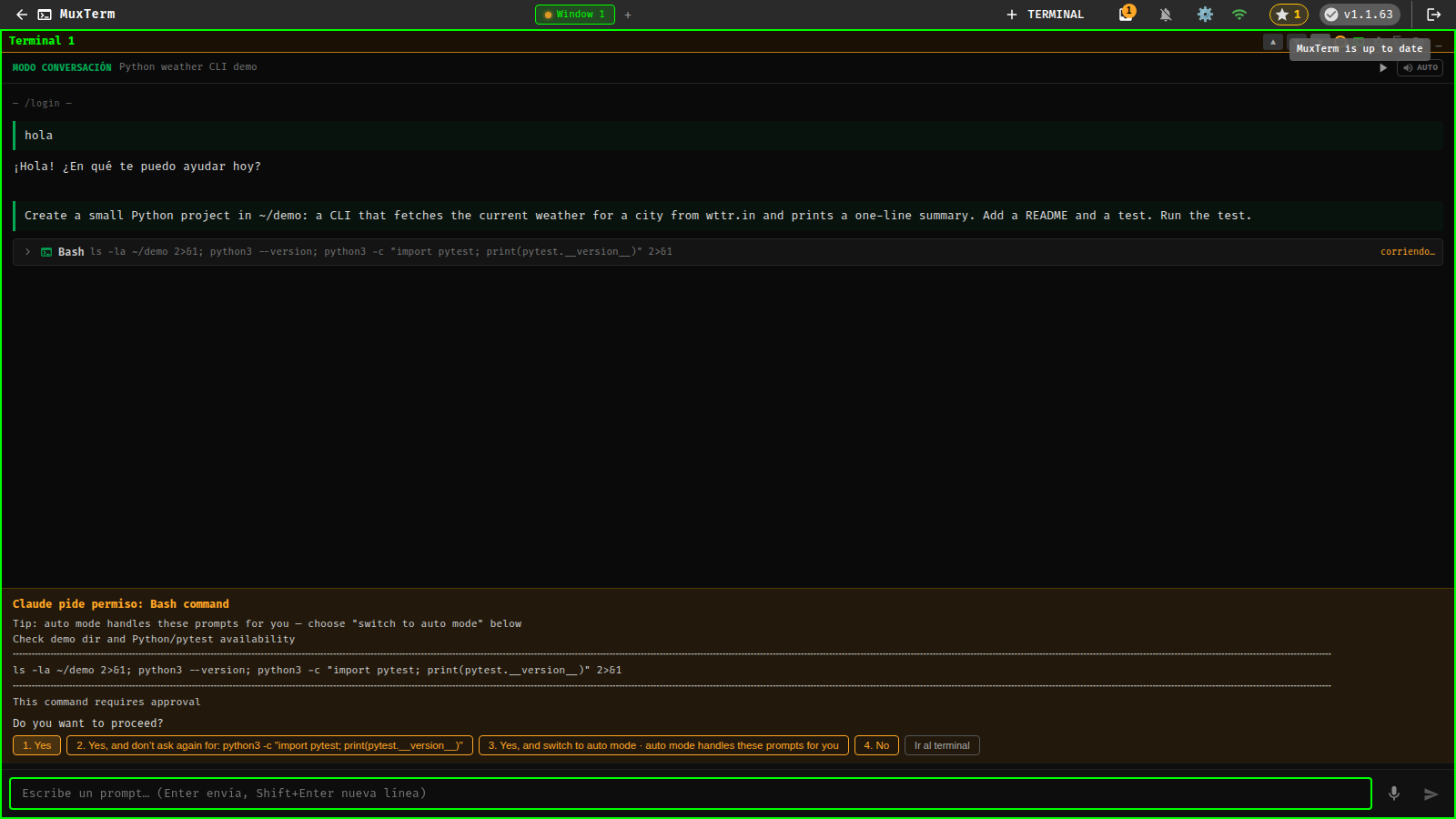
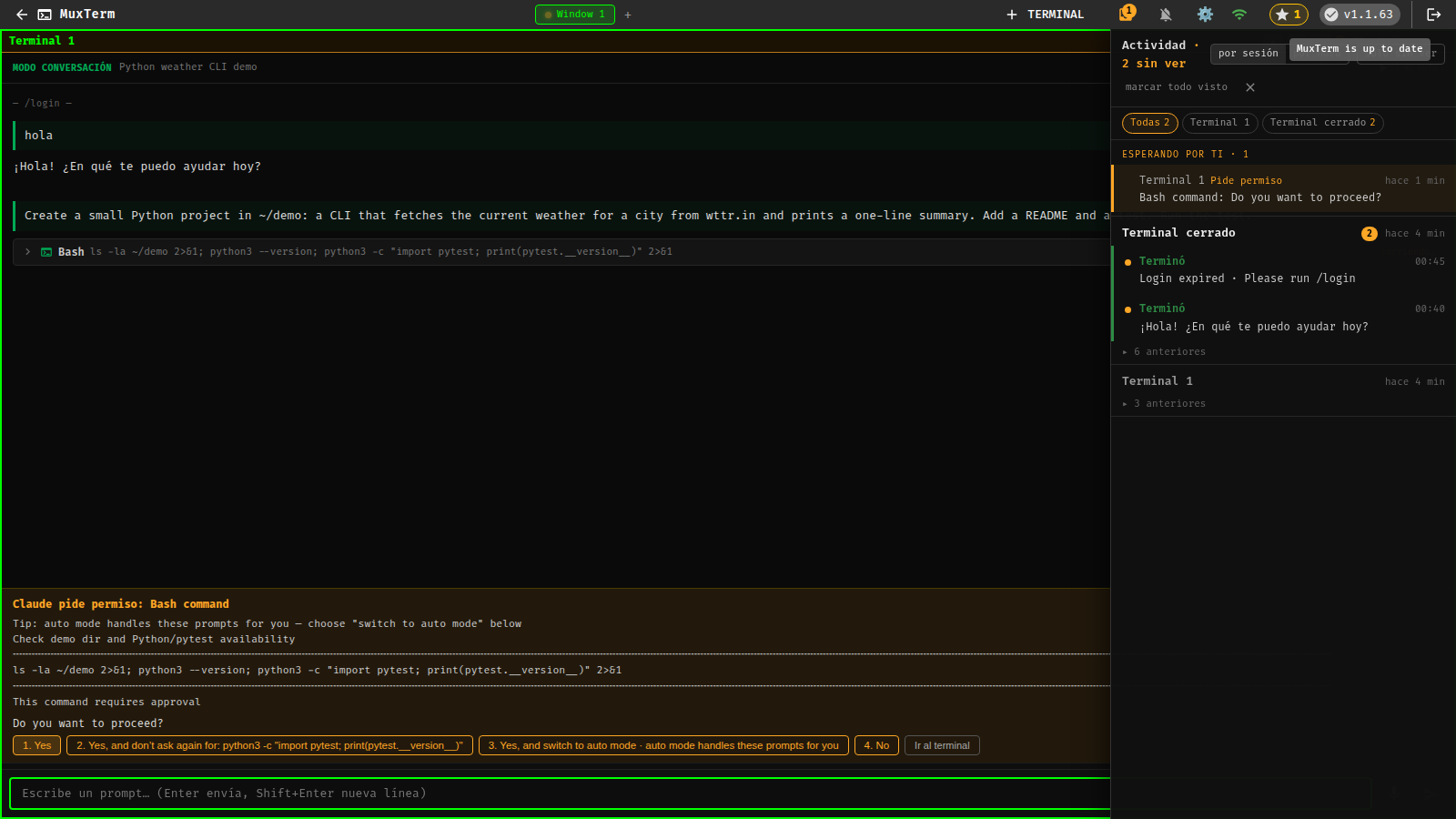
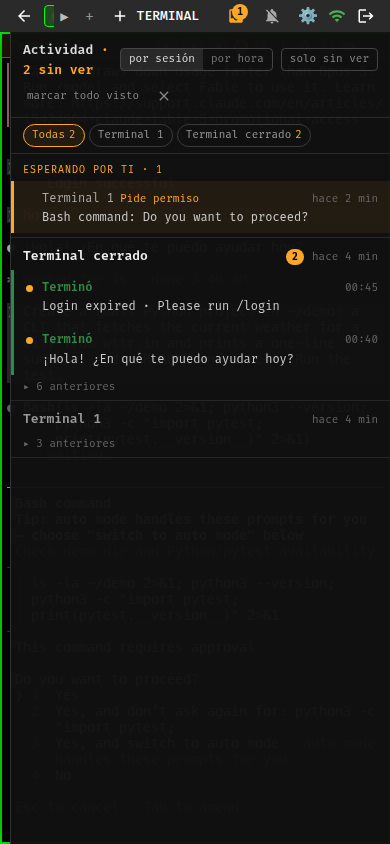
MuxTerm started as the place where our Claude Code sessions run. It knows what each session is doing and tells you when one needs you.
One answer per panel
Idle, working, waiting for permission, waiting for input or done, computed from tmux and the transcript and shown on every panel.
Push to your phone
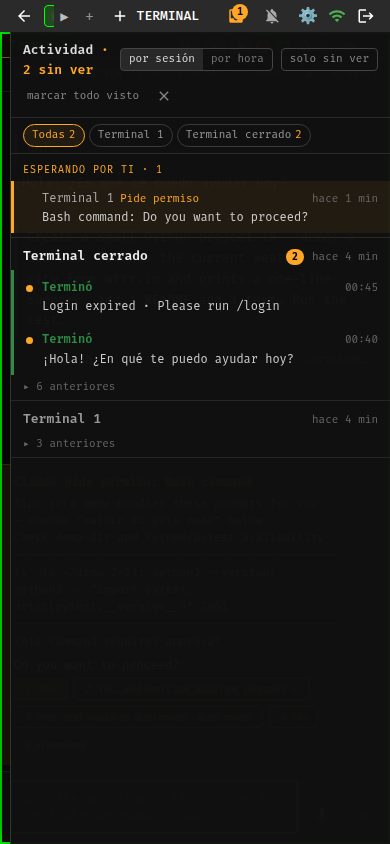
Web Push when a session asks something or finishes. Leave Claude working and go for a walk.
Accents arrive intact
Text pasted into the conversation view reaches Claude exactly as typed, special characters included.
Install in five minutes
A fresh Debian 12 or Ubuntu 24.04, as root or as a regular user. The installer downloads the signed package for your architecture (x64 or arm64), builds guacd, writes the systemd unit and starts MuxTerm on HTTPS.
curl -fsSL https://raw.githubusercontent.com/tecnologicachile/muxterm/main/install.sh | bash
# then open https://your-host:3002  (admin / admin, changed on first login)
Prefer Docker? git clone https://github.com/tecnologicachile/muxterm.git && cd muxterm && docker compose up -d. guacd is bundled. Works in unprivileged Proxmox LXC with network_mode: host.
Or let Claude Code do it. Paste this into a Claude Code session on the target machine:
Install MuxTerm from https://github.com/tecnologicachile/muxterm with its one-line installer,
then open https://<this-machine>:3002, log in as admin/admin and set a new password.
How it compares
Honest version. Each of these is good at what it does; MuxTerm covers the combination.
| MuxTerm | Apache Guacamole | ttyd / Wetty | tmux over SSH | |
|---|---|---|---|---|
| Persistent terminals | tmux, survives restarts | SSH session only | no | yes |
| RDP / VNC | guacd built in | yes | no | no |
| Several panels in one page | yes | one per tab | one per tab | tmux splits |
| SFTP file browser | yes | basic | no | no |
| Usable from a phone | designed for it | works | works | painful |
| Claude Code awareness | state, chat view, push | no | no | no |
| Install | one command | Java + Tomcat + DB | one binary | already there |
| Signed auto-updates with rollback | yes | no | no | n/a |
Questions people ask
What is MuxTerm, in one sentence?
A self-hosted web page that shows your terminals, SSH sessions, Windows desktops over RDP, VNC and an SFTP browser side by side, keeps the terminals alive in tmux, and knows what your Claude Code sessions are doing.
Does it need Claude Code?
No. Everything works without it. If you do run Claude Code in a panel, MuxTerm recognises it and adds the conversation view, the panel state and the notifications.
Where does my data live?
On your server: a SQLite database with users, connections and layouts. Bitwarden credentials are fetched on demand and never stored. Nothing is sent to us.
What does it run on?
Debian 12 and Ubuntu 24.04 are tested from scratch; any systemd distro should work. Unprivileged Proxmox LXC containers are a common home. x64 and arm64 packages. Docker image available.
How do updates work?
Every six hours MuxTerm checks a signed manifest, verifies the package signature, installs it next to the current version, restarts, checks its own health and keeps the previous version for rollback. If the new version cannot start, a boot guard switches back on its own. Admins can check, update or postpone from Settings, and switch to the beta channel.
Is it free? Can I use it at work?
Yes. MIT license: use it, modify it, ship it. If it saves you time, a star on GitHub helps other people find it.
How can I help?
Try it on your distro and report what breaks. Fix the installer for a platform we have not tested. Improve the phone experience. Translate the interface. The contributing guide explains how to run it from source and what lands fastest.